
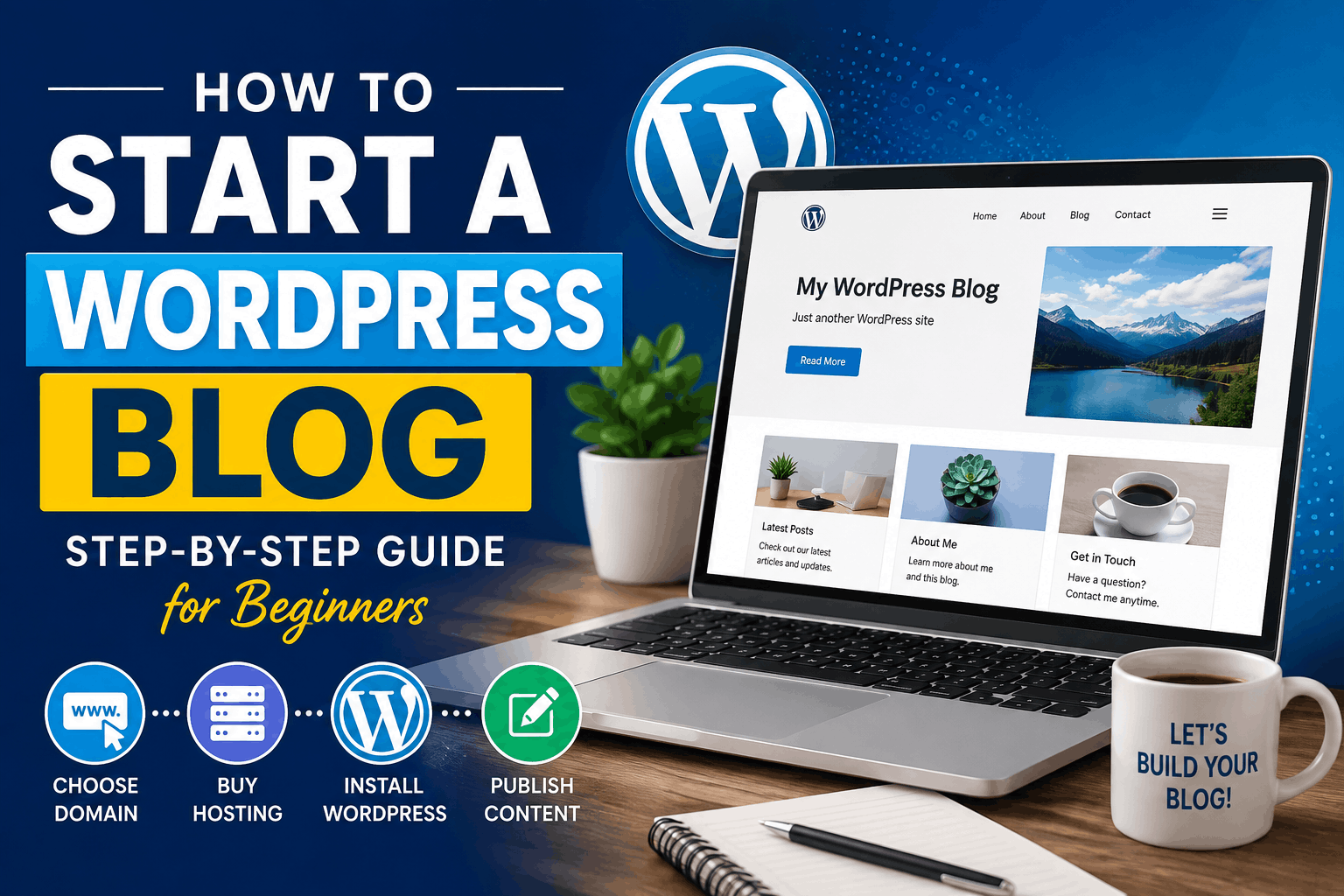
Starting a blog can be one of the simplest ways to share your knowledge, build a personal brand, attract customers, or create a long-term online income source. The good news is that you no longer need to be a professional programmer or web developer to start a successful blog.
With WordPress, a domain name, reliable web hosting, and a little patience, you can create a professional-looking blog even if you are starting from zero.
In this guide, we will explain how to start a WordPress blog step by step, from choosing a niche and domain name to installing WordPress, selecting a theme, publishing your first article, improving SEO, and eventually monetising your blog.
Whether you want to start a personal blog, educational website, technology blog, business blog, travel website, or a website focused on digital marketing, the basic process is almost the same.
What Is a WordPress Blog?
WordPress is a popular content management system (CMS) that allows you to create and manage a website without having to build everything from scratch with code.
A WordPress blog typically consists of:
- A domain name, such as
example.com - Web hosting, where your website files are stored
- WordPress software
- A WordPress theme that controls the appearance of your website
- Plugins that add additional features
- Blog posts containing your articles, images, videos, and other content
WordPress is particularly useful for blogging because it makes publishing and organising content relatively easy.
You can create categories, add images, optimise articles for search engines, allow comments, create contact forms, and add many other features through plugins.
Step 1: Decide What Your Blog Will Be About
Before purchasing hosting or installing WordPress, decide what you want to write about.
This is commonly called choosing a blog niche.
A niche is a specific subject or area that your website focuses on.
For example:
- Digital marketing
- Education
- Online tutoring
- Technology
- Personal finance
- Travel
- Food and recipes
- Fitness
- Career guidance
- Parenting
- Photography
- Business
- Blogging
- WordPress
- Online learning
You don’t necessarily need to choose an extremely narrow topic. However, having a clear focus can make it easier for readers and search engines to understand your website.
Choose a topic you can write about consistently
One of the biggest mistakes beginners make is choosing a topic simply because they think it will make money.
Instead, consider three things:
1. Knowledge: Do you understand the subject?
2. Interest: Can you continue creating content about it?
3. Demand: Are people actually searching for information about it?
The best niche is usually somewhere in the middle of these three factors.
Step 2: Choose a Domain Name
Your domain name is your website’s address.
For example:
yourblog.com
Choosing the right domain name is important because changing it later can be complicated.
Try to choose a domain that is:
- Short
- Easy to remember
- Easy to spell
- Relevant to your topic or brand
- Easy to pronounce
- Not unnecessarily complicated
For a business or long-term project, a .com domain can be a strong choice when available.
However, other extensions such as .in, .org, .net, or niche-specific extensions may also work depending on your audience and brand.
Avoid overly complicated domain names
For example, a domain such as:
best-online-digital-marketing-tips-2026.com
is difficult to remember.
Something shorter and brandable is generally easier to build around.
Also avoid copying another company’s name or choosing a domain that could create trademark problems.
Step 3: Purchase Web Hosting
A domain is your website’s address, while web hosting is the server space where your website lives.
Think of it this way:
Domain = your website’s address
Hosting = the place where your website is stored
You need both to operate a typical self-hosted WordPress website.
When selecting hosting, look for features such as:
- WordPress compatibility
- SSL certificate
- Good server performance
- Backup options
- Security features
- Customer support
- Easy WordPress installation
- Scalable hosting plans
Step 4: Connect Your Domain and Hosting
After purchasing your domain and hosting, you need to connect them.
If you purchase your domain and hosting from the same provider, this process may happen automatically.
If they are from different companies, you generally need to update the domain’s nameservers or DNS settings according to the instructions provided by your hosting company.
DNS changes may take some time to propagate.
Once the domain is correctly connected to your hosting account, visiting your domain should lead to your hosting server.
Step 5: Install WordPress
Now comes the exciting part: installing WordPress.
Many modern hosting providers offer an automated WordPress installation process.
The exact interface differs between hosting companies, but the process usually looks something like this:
- Log in to your hosting account.
- Open the hosting control panel.
- Find the WordPress installation option.
- Select your domain.
- Enter your website name.
- Create an administrator username.
- Create a strong password.
- Enter your administrator email address.
- Start the installation.
After installation, your WordPress dashboard will usually be accessible through:
yourdomain.com/wp-admin
Use your administrator username and password to log in.
Use a strong administrator password
Do not use simple passwords such as:
123456
or
password123
Create a strong, unique password and enable additional security measures whenever possible.
Step 6: Configure Basic WordPress Settings
Before publishing your first article, spend a few minutes configuring the basic settings.
Inside your WordPress dashboard, check:
Settings → General
Here you can configure:
- Site title
- Tagline
- WordPress URL
- Site URL
- Administration email
- Time zone
- Date format
- Time format
Make sure your website uses HTTPS if your hosting provider has supplied an SSL certificate.
For example:
is preferable to an unsecured HTTP version.
Step 7: Choose a WordPress Theme
Your WordPress theme controls the visual appearance of your website.
There are thousands of free and premium themes available.
When selecting a theme, don’t choose one only because it looks attractive in a demo.
Look for:
- Mobile responsiveness
- Fast loading speed
- Clean design
- Good typography
- Easy customization
- Regular updates
- Compatibility with popular plugins
- Good accessibility practices
Your blog should be easy to read on smartphones because a large portion of internet traffic comes from mobile devices.
Keep your design simple
A professional blog doesn’t need dozens of animations, sliders, pop-ups, or visual effects.
A clean layout usually works better.
Your readers should immediately understand:
Who you are + what your website is about + what they can read or do next.
Step 8: Create Essential Pages
Before publishing dozens of blog posts, create the basic pages that every professional website should consider having.
Common pages include:
Home
Introduce your website and highlight important content.
About
Explain who you are, what your website is about, and why readers should trust your information.
Contact
Give visitors a way to contact you.
Privacy Policy
Explain how your website handles visitor information and cookies.
Terms and Conditions
Useful for websites that offer services, products, memberships, or other commercial features.
Disclaimer
Especially important if your website publishes financial, educational, health, business, product-review, or affiliate-related information.
You may also create pages such as:
- Services
- Courses
- Resources
- Categories
- Affiliate Disclosure
Step 9: Install Useful WordPress Plugins
Plugins add functionality to WordPress.
However, don’t install dozens of plugins simply because they look useful.
Too many unnecessary plugins can increase maintenance requirements and may affect website performance.
Depending on your requirements, you might need plugins for:
- SEO
- Contact forms
- Website security
- Backups
- Caching
- Image optimization
- Spam protection
- Analytics
- Social sharing
- Affiliate management
Before installing a plugin, check whether it is actively maintained and compatible with your WordPress version.
Step 10: Create Your First Blog Post
Now you can publish your first article.
Go to:
WordPress Dashboard → Posts → Add New
Enter a useful title.
For example:
How to Start a WordPress Blog in 2026
Then structure the article using headings.
A good blog post usually contains:
- Introduction
- Clear sections
- Short paragraphs
- Examples
- Images where useful
- Internal links
- External references when appropriate
- A conclusion
- A useful call to action
Avoid writing huge blocks of text.
Online readers often scan articles before deciding whether to read them completely.
Use headings, bullet points, numbered lists, bold text, and short paragraphs to make the article easier to consume.
Step 11: Learn Basic WordPress SEO
Creating a blog is only the beginning.
You also need people to discover your content.
Search engine optimisation, commonly known as SEO, helps search engines understand your pages and can improve their chances of appearing for relevant searches.
Start with basic SEO principles.
Use a clear primary topic
For example, if your article is about starting a WordPress blog, naturally discuss topics such as:
- How to create a WordPress blog
- WordPress hosting
- Domain name
- WordPress installation
- WordPress themes
- WordPress plugins
- Blogging SEO
Don’t repeatedly insert the same keyword into every sentence.
Modern SEO is more about creating genuinely useful content around a topic than simply repeating keywords.
Write useful titles
Instead of:
Blogging Guide
try:
How to Start a WordPress Blog in 2026: Step-by-Step Guide
The second title communicates much more information.
Create a good meta description
Your meta description should summarise the page and encourage the searcher to click.
For example:
Learn how to start a WordPress blog from scratch, including choosing a domain, buying hosting, installing WordPress, selecting a theme, publishing content, and growing your blog.
Step 12: Create Internal Links
Internal linking means linking one page of your website to another page on the same website.
For example, if you publish an article about WordPress SEO, you could link it to another article about keyword research.
Internal links help readers discover related content.
They can also help search engines understand the relationship between different pages on your website.
As your blog grows, create content clusters around important topics.
For example:
Main topic: WordPress Blogging
Supporting articles:
- How to Choose WordPress Hosting
- How to Install WordPress
- Best WordPress Plugins for Beginners
- WordPress SEO for Beginners
- How to Write Your First Blog Post
- How to Monetise a WordPress Blog
This creates a useful content ecosystem rather than a collection of unrelated articles.
Step 13: Add Images and Multimedia
Images can make blog posts more engaging and easier to understand.
However, don’t upload enormous image files directly from your phone or camera without optimisation.
Large images can slow down your website.
Before uploading images:
- Resize them when necessary
- Compress them
- Use descriptive filenames
- Add appropriate alt text
- Use relevant images
For tutorials, screenshots can be particularly useful.
For example, an article explaining WordPress installation could include screenshots showing the important steps.
Step 14: Make Your Blog Mobile-Friendly
Before promoting your blog, open it on your smartphone.
Check:
- Is the text easy to read?
- Does the menu work?
- Are buttons large enough to tap?
- Are images fitting within the screen?
- Does the website load reasonably quickly?
- Are pop-ups covering the content?
A website that looks perfect on a desktop computer can still provide a poor mobile experience.
Always test your website on different screen sizes.
Step 15: Connect Analytics and Search Tools
Once your blog is live, you should understand how visitors are finding and using your website.
Analytics tools can help you understand:
- Number of visitors
- Popular pages
- Traffic sources
- Search traffic
- User behavior
- Device usage
Search performance tools can help you identify:
- Search queries
- Indexed pages
- Search impressions
- Clicks
- Technical indexing issues
These insights can help you decide what content to create next.
Step 16: Publish Consistently
You don’t have to publish an article every day.
Consistency is more important than producing a large number of low-quality articles.
For example, you could publish:
One high-quality article every week.
Over one year, that could result in approximately 50 useful articles.
Another approach is to publish two or three articles each week if you can maintain quality.
The goal should be to create content that genuinely solves problems.
Instead of asking:
“How many articles can I publish?”
ask:
“How many useful problems can my website solve?”
That mindset can lead to a much stronger blog.
Step 17: Promote Your Blog
Publishing an article doesn’t automatically guarantee traffic.
Promote your content through appropriate channels.
Depending on your audience, you can use:
- YouTube
- Email newsletters
- Online communities
- Relevant discussion forums
- Search engines
You can also convert a single blog article into several pieces of content.
For example, one article about WordPress blogging could become:
- A YouTube video
- An Instagram Reel
- A Facebook post
- A LinkedIn post
- A carousel
- A short email newsletter
This approach allows you to get more value from the research and writing you have already completed.
Step 18: How to Make Money From a WordPress Blog
Once your blog starts receiving visitors, there are several possible monetization methods.
Affiliate Marketing
You recommend useful products or services and earn a commission when eligible purchases are made through your affiliate link.
Hosting is a common affiliate category for blogging websites.
For example, you could write a detailed article about WordPress hosting and include your GreenGeeks affiliate link where it genuinely helps the reader.
Display Advertising
Once your website has sufficient traffic, advertising can become another potential revenue source.
Selling Digital Products
You can sell:
- Ebooks
- Templates
- Courses
- Checklists
- Guides
- Digital downloads
Selling Services
A blog can also generate leads for services such as:
- Digital marketing
- Web development
- SEO
- Graphic design
- Consulting
- Tutoring
- Content writing
Sponsored Content
Established blogs may also work with brands to publish sponsored content, subject to appropriate disclosure and advertising guidelines.
How Long Does It Take to Start a WordPress Blog?
Technically, you can create a basic WordPress website within a few hours.
But building a successful blog is a longer process.
You need time to:
- Research topics
- Write articles
- Improve SEO
- Build authority
- Promote your content
- Analyze traffic
- Update old articles
Don’t expect significant search traffic immediately.
Some articles may start receiving impressions relatively quickly, while others may take considerably longer.
Blogging should therefore be treated as a long-term digital asset rather than a quick-money scheme.
Common Mistakes New Bloggers Should Avoid
1. Choosing a niche only for money
If you don’t enjoy the topic, consistently producing content can become difficult.
2. Copying other websites
Create original content and add your own experience, examples, explanations, and insights.
3. Publishing AI-generated content without editing
Tools can assist with research and drafting, but your final content should be accurate, useful, original, and genuinely valuable to readers.
4. Installing too many plugins
Use only the plugins you actually need.
5. Ignoring website speed
A slow website can frustrate visitors.
6. Ignoring mobile users
Always test your blog on smartphones.
7. Writing only for search engines
Your primary audience is human readers.
Write for people first and optimise naturally for search engines.
8. Giving up too early
A blog often takes time to develop.
Treat your first few months as a period of learning, testing, and building your content library.
Final WordPress Blogging Checklist
Before launching your blog, make sure you have:
- A clear niche
- A memorable domain
- Reliable WordPress hosting
- SSL/HTTPS enabled
- WordPress installed
- A mobile-friendly theme
- Essential pages
- Useful plugins
- SEO basics configured
- Analytics/search tools connected
- Your first quality articles
- A content strategy
- A promotion plan
- Affiliate disclosures where required
- Regular backups
- A long-term publishing schedule
Final Thoughts: Start Small, Learn, and Keep Improving
Starting a WordPress blog is easier today than it was in the early days of blogging. You don’t need to know PHP, HTML, CSS, or server administration to launch a basic website.
What you do need is a clear topic, a reliable foundation, useful content, and the willingness to keep learning.
Start with one simple goal: help a specific audience solve a specific problem.
Choose your domain, set up WordPress, create a clean website, publish genuinely useful articles, learn the fundamentals of SEO, and gradually build your audience.
Don’t worry about making your website perfect on day one.
Your first blog post will probably not be your best article. Your first website design may eventually change. Your SEO strategy will improve as you learn more.
That’s normal.
The important thing is to start.
If you are planning to build a WordPress blog as a long-term project, choosing reliable hosting is one of the first practical decisions you will need to make.
Ready to start your WordPress blog? Choose your domain and hosting, install WordPress, publish your first useful article, and begin building your online presence one piece of content at a time. Read this article How to Learn Digital Marketing to get most of your wordpress blog.
Frequently Asked Questions
Is WordPress good for beginners?
Yes. WordPress is designed to allow users to create and manage websites without requiring advanced programming knowledge. Beginners can start with a ready-made theme and gradually learn more advanced features.
How much does it cost to start a WordPress blog?
The cost depends on your domain, hosting provider, theme, plugins, and other services you choose. A basic blog can often be started with relatively modest initial expenses.
Do I need coding knowledge?
No. Basic blogging does not require coding knowledge. However, learning some HTML and CSS later can be useful if you want greater control over your website.
Can I make money from a WordPress blog?
Yes, but income is not guaranteed. Bloggers can potentially earn through affiliate marketing, advertising, digital products, services, sponsorships, memberships, and other business models.
How often should I publish blog posts?
There is no universal number. One well-researched article per week can be better than publishing several thin articles that provide little value.
Can I start a WordPress blog from my phone?
You can manage many WordPress functions from a smartphone, but setting up and designing a website is generally easier on a desktop or laptop.
Is WordPress SEO-friendly?
WordPress provides a strong foundation for SEO, but simply installing WordPress does not automatically make a website rank. You still need useful content, good site structure, technical optimisation, internal linking, and a strategy for attracting relevant visitors.
What should I write about first?
Start with questions your target audience is already asking. Beginner guides, how-to tutorials, comparisons, checklists, troubleshooting articles, and practical educational content can be good starting points when they genuinely match your audience’s needs.
1 thought on “How to Start a WordPress Blog in 2026: A Complete Step-by-Step Guide for Beginners”