
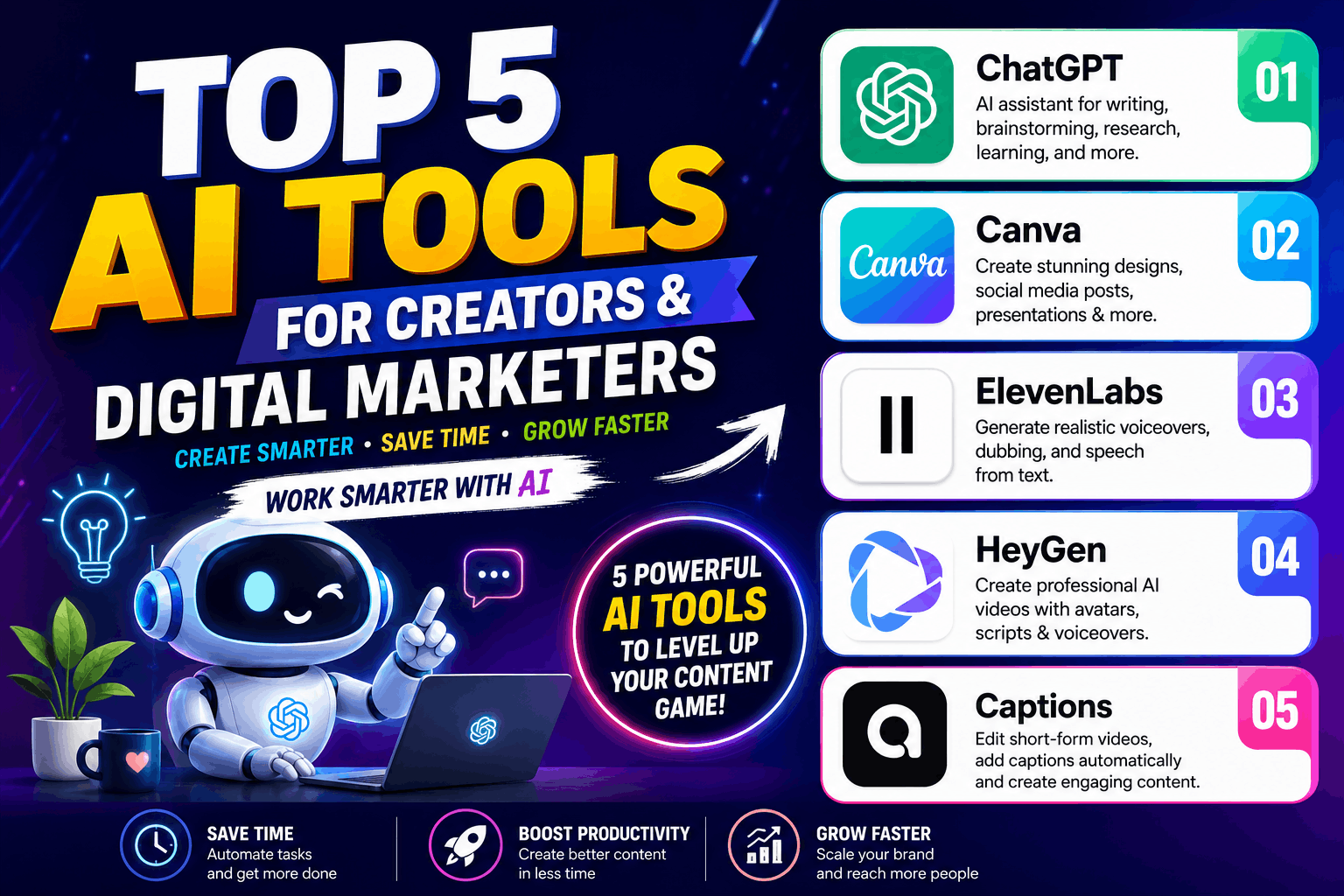
Artificial Intelligence has changed the way creators, digital marketers, freelancers, entrepreneurs, and businesses produce content and communicate with their audiences. Tasks that once required hours of writing, designing, recording, editing, and video production can now be completed much faster with the help of AI tools.
For content creators and digital marketers, AI is no longer just an experimental technology. It has become a practical part of the everyday workflow.
Whether you create YouTube Shorts, Instagram Reels, social media posts, advertisements, blogs, presentations, voiceovers, or marketing campaigns, the right AI tools can help you save time, reduce production costs, generate ideas, and create better content consistently.
In this article, we will explore five powerful AI tools that creators and digital marketers should know about in 2026: ChatGPT, Canva, ElevenLabs, HeyGen, and Captions.
The goal is not to use every AI tool available. Instead, it is to understand what each tool does best and how you can combine them into a simple content creation workflow.
Why AI Tools Are Important for Creators and Digital Marketers
Creating digital content involves many different activities.
A creator may need to:
- Research a topic
- Generate content ideas
- Write scripts
- Design thumbnails
- Create social media graphics
- Record voiceovers
- Produce videos
- Add captions
- Edit videos
- Write descriptions
- Optimize content for search engines
- Repurpose content for different platforms
Doing everything manually can take a significant amount of time.
AI tools can assist with many of these tasks. They do not necessarily replace creativity; instead, they can act as a productivity partner.
For example, a digital marketer can use AI to brainstorm campaign ideas, write an initial script, create visual assets, generate a voiceover, produce a video, and prepare social media content.
The human still provides the strategy, creativity, brand voice, judgment, and final approval.
This combination of human creativity + AI productivity is becoming one of the most powerful ways to create content.
1. ChatGPT – Your AI Assistant for Content and Marketing
ChatGPT is one of the most versatile AI tools available to creators and digital marketers.
It can help with writing, brainstorming, research assistance, learning, coding, content planning, marketing ideas, and many everyday tasks.
For a creator, one of the biggest advantages of ChatGPT is that it can help turn a simple idea into a structured content plan.
How creators can use ChatGPT
Suppose you want to create a YouTube Short about digital marketing.
You can use ChatGPT to generate:
- Video topic ideas
- Hooks
- Short-form scripts
- Video titles
- YouTube descriptions
- Social media captions
- Calls to action
- Blog outlines
- Frequently asked questions
- Content calendars
You can also ask it to rewrite content for different audiences and platforms.
For example, one long blog post can be transformed into several social media posts, short video scripts, email ideas, and carousel concepts.
How digital marketers can use ChatGPT
Digital marketers can use ChatGPT for keyword brainstorming, customer personas, ad copy ideas, landing-page content, email drafts, social media strategies, campaign concepts, and content calendars.
It can also help beginners understand complicated marketing concepts in simple language.
However, AI-generated content should not simply be copied and published without review. Always verify important information, add your own expertise, and make the final content useful and authentic.
Best use of ChatGPT
Best for: Ideas, writing, research assistance, strategy, scripts, marketing content, and productivity.
2. Canva – AI-Powered Design for Everyone
Creating professional-looking graphics traditionally required knowledge of graphic design software.
Canva has made visual content creation much easier, particularly for beginners, creators, small businesses, educators, and marketers.
With Canva, users can create social media posts, YouTube thumbnails, presentations, posters, advertisements, documents, videos, and many other types of visual content.
Its AI-powered features can further speed up the creative process.
How creators can use Canva
A YouTube creator can use Canva to design:
- YouTube thumbnails
- Shorts graphics
- Instagram posts
- Instagram Stories
- Channel banners
- Video covers
- Promotional posters
- Presentation slides
- Infographics
For example, if you are launching an online course, Canva can help you create a complete set of promotional graphics while maintaining consistent branding.
Canva for digital marketing
Visual content is extremely important in digital marketing.
A social media campaign may require multiple creative formats for different platforms. Instead of designing every asset from scratch, marketers can use templates and AI-assisted features to speed up the process.
Canva is particularly useful for small businesses that may not have an in-house designer.
A marketer can create a brand kit, establish consistent fonts and visual elements, and reuse design templates across campaigns.
A useful Canva workflow
One practical workflow is:
Idea → Content → Design → Resize → Publish
You can first develop the content using an AI writing assistant, bring the content into Canva, create the visual design, adapt it for different platforms, and then publish it.
Best use of Canva
Best for: Graphic design, social media creatives, presentations, thumbnails, posters, and branded visual content.
3. ElevenLabs – Realistic AI Voiceovers
Voice is an important part of modern video content.
Not every creator has access to professional recording equipment, a suitable recording environment, or the time to record every script manually.
ElevenLabs is an AI voice platform designed to generate natural-sounding speech from text and support applications such as voiceovers and dubbing.
How creators can use ElevenLabs
Creators can use AI-generated voices for different types of content, including:
- YouTube videos
- Educational videos
- Explainer videos
- Short-form videos
- Product demonstrations
- Narration
- Storytelling
- Audio content
- Multilingual content
For example, a creator can write a 60-second script and convert it into an AI voiceover instead of recording the narration manually.
This can be especially useful when producing multiple videos regularly.
Voiceovers for digital marketing
Businesses can also use AI voice technology for advertisements, product videos, educational content, and social media campaigns.
For marketers working with audiences in different regions, multilingual voice and dubbing capabilities can make content localization easier.
However, creators should use voice technology responsibly. When using voice cloning or voices that represent real people, appropriate permissions and ethical considerations are important.
Combining voice with video
AI voice generation becomes even more useful when combined with other tools.
For example:
ChatGPT → Script → ElevenLabs → Voiceover → Video Editor → Final Video
This workflow can significantly reduce the time required to produce narrated content.
Best use of ElevenLabs
Best for: AI voiceovers, narration, dubbing, speech generation, and audio production.
4. HeyGen – Create AI-Powered Videos
Video production can be expensive and time-consuming.
Recording a professional presenter, arranging lighting, setting up cameras, recording multiple takes, and editing the footage can require considerable effort.
HeyGen is an AI video platform that allows users to create videos using AI avatars, scripts, voices, and other production features.
This makes it useful for businesses, educators, marketers, and creators who want to produce presenter-style videos without traditional filming.
How creators can use HeyGen
Creators can use AI video generation for:
- Educational videos
- Product explainers
- Marketing videos
- Training content
- Presentations
- Social media videos
- Business communication
- Promotional videos
For example, a business can prepare a script explaining its service and use an AI presenter to deliver the message.
HeyGen for digital marketers
Digital marketing often requires producing multiple versions of the same campaign.
AI video tools can help marketers experiment with different scripts, languages, presenters, and formats.
A company promoting an online course, for example, could create short promotional videos explaining the course benefits.
AI presenters can also be useful when a business does not want to appear on camera.
AI video does not replace strategy
The technology can make video production easier, but the quality of the final result still depends heavily on the script and marketing message.
A poorly written script will not become a great marketing video simply because it has an AI avatar.
Therefore, start with a strong:
Hook → Problem → Solution → Benefit → Call to Action
Then use AI video technology to produce the presentation.
Best use of HeyGen
Best for: AI avatar videos, presentations, explainers, marketing videos, training content, and presenter-style videos.
5. Captions – AI Video Editing for Short-Form Content
Short-form video has become an important part of content marketing.
YouTube Shorts, Instagram Reels, and other vertical video formats require creators to produce engaging content quickly.
Captions is an AI-powered video editing platform focused on making video creation and editing easier, particularly for short-form content.
How creators can use Captions
Creators can use AI-assisted editing features for tasks such as:
- Adding captions
- Editing short-form videos
- Improving video presentation
- Creating engaging social content
- Preparing videos for mobile audiences
- Making talking-head videos more dynamic
Captions are especially important because many people consume social media videos without sound.
Readable, well-timed captions can make video content easier to follow.
Captions for digital marketing
Digital marketers can use short-form videos to promote products, services, courses, events, brands, and educational content.
Instead of spending hours manually adding subtitles and editing every short video, AI-assisted editing can accelerate the workflow.
For example, a marketer can record a talking-head video, import it into the editor, generate captions, refine the text, make visual adjustments, and prepare the final video for social media.
The importance of the first few seconds
Short-form videos need to capture attention quickly.
A strong opening might ask a question, highlight a problem, reveal an unexpected fact, or promise a useful result.
AI editing can improve production speed, but creators should still focus heavily on the opening hook and overall storytelling.
Best use of Captions
Best for: Short-form video editing, automatic captions, social media videos, and creator-focused video production.
How to Combine These 5 AI Tools
The real power comes from combining different tools rather than relying on one tool for everything.
Imagine you want to create a one-minute educational video about digital marketing.
Here is a simple workflow.
Step 1: Generate the idea
Use ChatGPT to brainstorm topics and develop a short script.
Step 2: Create the visual identity
Use Canva to create supporting graphics, thumbnails, titles, and branded visual elements.
Step 3: Generate the voice
Use ElevenLabs to turn the script into a natural-sounding voiceover.
Step 4: Create the video
Use HeyGen if you want an AI presenter or avatar-based video.
Step 5: Edit the Short
Use Captions to add captions and polish the short-form video.
The result is a workflow that can take you from a simple idea to a publishable piece of content much faster.
A Simple AI Content Creation Workflow
For creators and digital marketers, a practical AI workflow can look like this:
Research → Idea → Script → Design → Voice → Video → Edit → Publish → Analyze
Different tools can support different stages of this process.
The important thing is not to use AI simply because it is available.
Instead, ask:
“Which part of my workflow takes the most time?”
If writing is the bottleneck, use an AI writing assistant.
If designing is slowing you down, use an AI-powered design platform.
If recording voiceovers takes too much time, consider AI voice technology.
If video production is the problem, explore AI video generation.
If editing Shorts takes too long, use AI-assisted video editing.
This approach helps you build a practical AI workflow instead of collecting dozens of tools that you rarely use.
AI Tools Can Help You Save Time, But Creativity Still Matters
One common misconception is that AI will automatically create successful content.
That is not how it works.
AI can help you produce content faster, but successful content still requires:
- Good ideas
- Audience understanding
- Strong storytelling
- Original opinions
- Clear communication
- Brand identity
- Human creativity
- Quality control
For digital marketers, strategy is particularly important.
AI can generate ten advertisement ideas, but you still need to decide which message fits your target audience.
Similarly, AI can create a video script, but you should review it to ensure that the information is accurate, useful, and aligned with your brand.
The best creators will not simply ask AI to “create everything.”
They will learn how to direct AI effectively.
Tips for Using AI Tools Effectively
1. Give clear instructions
The quality of AI output often depends on the quality of your instructions.
Instead of asking:
“Write a marketing post.”
Try:
“Write a 100-word Instagram post promoting a beginner digital marketing course for college students in India.”
More context generally helps you get more useful results.
2. Add your own expertise
AI-generated content can sound generic.
Add your personal experience, examples, opinions, case studies, and brand voice to make the content more authentic.
3. Always review AI-generated content
AI can make mistakes.
Check facts, statistics, names, dates, claims, and other important information before publishing.
4. Focus on your audience
Don’t create content simply because an AI tool makes it easy.
Start with your audience’s problems and questions.
Then use AI to help you solve those problems through content.
5. Build a repeatable workflow
Once you discover a process that works, document it.
For example:
Monday: Research and ideas
Tuesday: Scripts
Wednesday: Design and voice
Thursday: Video editing
Friday: Publishing and analysis
A repeatable workflow can help you maintain consistency.
Which AI Tool Should You Learn First?
If you are completely new to AI tools, start with ChatGPT because it can support many different areas of your workflow.
Next, learn Canva if you regularly create visual content.
If you produce narrated content, explore ElevenLabs.
If you want presenter-style AI videos, consider HeyGen.
And if your primary focus is YouTube Shorts, Instagram Reels, or other short-form content, Captions can be a useful addition to your workflow.
You do not need to master all five tools on the same day.
Choose one tool, learn its important features, create real projects with it, and then add another tool when you need it.
Final Thoughts
AI is transforming content creation and digital marketing by making sophisticated creative capabilities accessible to individuals, freelancers, startups, educators, and small businesses.
ChatGPT can help with ideas, writing, research, scripts, and marketing tasks.
Canva makes visual content creation faster and easier.
ElevenLabs can help creators produce realistic AI voiceovers and audio content.
HeyGen makes AI-powered presenter and avatar videos possible without traditional video production.
Captions help creators edit short-form videos and create engaging captioned content more efficiently.
The biggest advantage comes from understanding how these tools work together.
Instead of spending hours completing every small production task manually, creators can use AI to automate or accelerate repetitive work while focusing their human effort on creativity, strategy, storytelling, and audience connection.
The future of digital content is not simply about AI-generated content.
It is about people who know how to use AI effectively.
If you are a creator, digital marketer, freelancer, student, entrepreneur, or business owner, now is a great time to start building practical AI skills.
Learn one tool at a time. Experiment with real projects. Measure the results. Improve your workflow. Read another in-depth article, Best AI Tools for Digital Marketing to learn more AI tools that can speed up your workflow.
Learn. Create. Grow with AI.
Frequently Asked Questions
What are the best AI tools for content creators?
ChatGPT, Canva, ElevenLabs, HeyGen, and Captions are five useful AI tools covering different parts of the content creation process, including writing, design, voice, video generation, and editing.
Can AI tools help digital marketers?
Yes. AI tools can assist digital marketers with content creation, campaign ideas, scripts, social media content, visual assets, videos, voiceovers, and other repetitive tasks.
Can beginners use these AI tools?
Yes. Most of these platforms are designed to be accessible to beginners. The best approach is to start with one tool and learn through practical projects.
Will AI replace content creators?
AI can automate certain tasks, but successful content still requires creativity, strategy, storytelling, human judgment, and an understanding of the audience. Creators who learn to use AI effectively can become more productive and competitive.
What is the best way to learn AI tools?
Start by choosing one tool that solves a problem in your current workflow. Learn its core features, create real projects, and gradually add other tools as your requirements grow.
Learn Digital Marketing and AI with Shikshanest Digital Academy
Want to learn practical digital marketing, AI tools, content creation, social media marketing, and other digital skills? Join our online digital marketing course and enhance your skills to earn more money and achieve success.
Visit Shikshanest Digital Academy and explore practical learning resources designed to help students, creators, professionals, entrepreneurs, and businesses build modern digital skills.
🌐 Website: shikshanestdigital.com
Follow Shikshanest Digital Academy on social media for more AI tools, digital marketing tips, tutorials, and creator resources.
Learn | Grow | Succeed with Shikshanest Digital Academy.
1 thought on “Top 5 AI Tools for Creators and Digital Marketers in 2026”